Introduction
Over the years, many Tetris sub-modes, tools, websites, and applications have been created to help players train.
These formats mainly exist on websites, but may also appear in sub-modes in unofficial or official Tetris games, such as TETR.IO, Jstris, or Puyo Puyo Tetris.
I will provide a master list of links to the training tools and websites at the end of this chapter.
However, please note that this list is dynamic: while it is accurate as of November 2026, webmasters may occasionally remove some of these sites. New ones may also surface.
Still, they are generic enough that if one or two websites are removed, you should be able to find a current or upcoming substitute with a simple Google search.
Scenario Simulators
Scenario simulators let you create starting or mid-game situations. You can use them to paint an entire field to simulate and focus-train situations.
Four-tris
The most versatile scenario simulator that I know of is Four-tris.
You can download it with a simple Google search on GitHub.
Four-tris is great for many reasons:
| Diagram Set 2-1 |
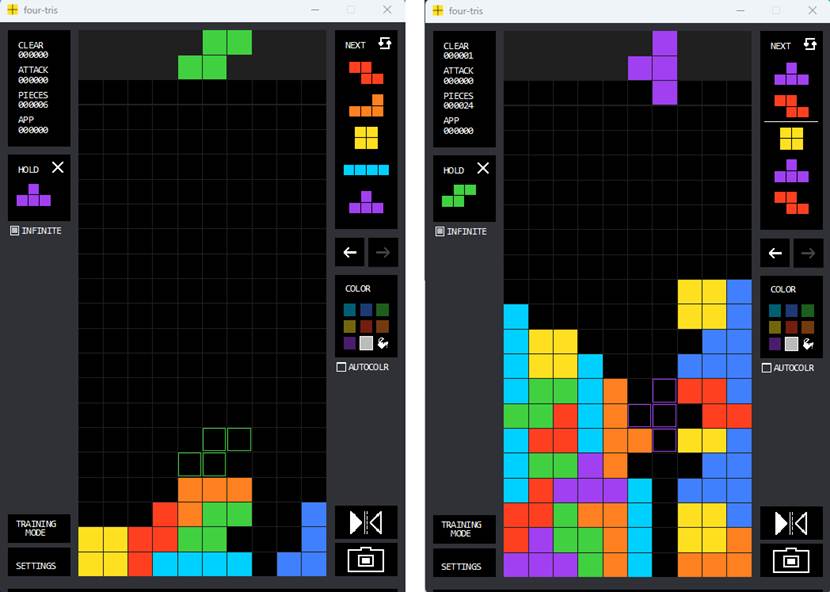
| Four-tris can train anything: the opener (left screen) and mid-game setups (right screen). |
The Four-tris tool lets you set gravity to zero, giving you infinite time to think from an empty or mid-game field.
The app lets you paint and create any mid-game training situation. This is particularly helpful for re-creating mid-game setup opportunities to reinforce and train them.
Four-tris also includes a camera tool that lets you scan anyone’s Tetris video or a website’s Tetris diagrams and convert them into a corresponding diagram in the Four-tris app, so you can easily alter it and train that scenario:
| Diagram Set 2-2 |
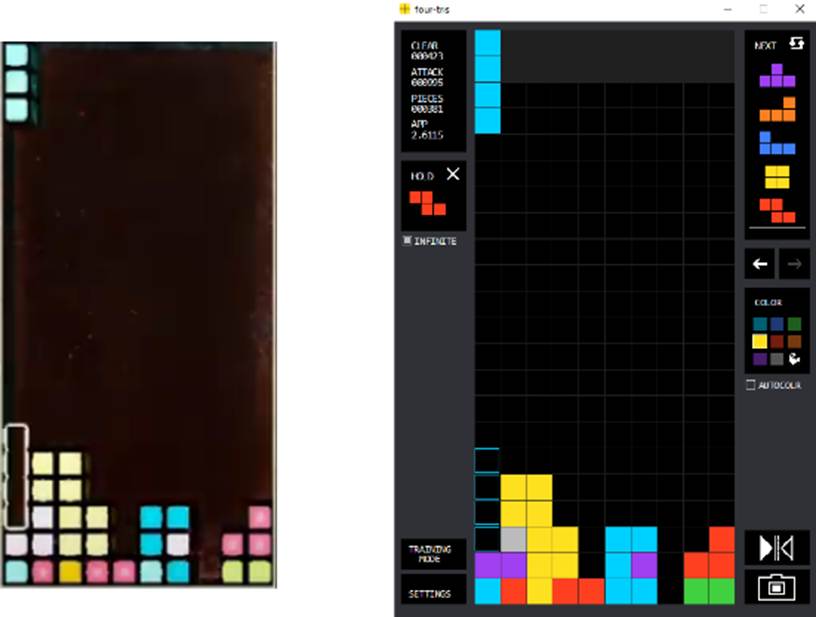
| One uses the Four-tris app’s (right picture) camera function to highlight any Tetris field (the left one). It automatically re-creates the field with a reasonable amount of accuracy. |
It has a 4-wide and perfect clear training mode to help train those areas:
| Diagram Set 2-3 |
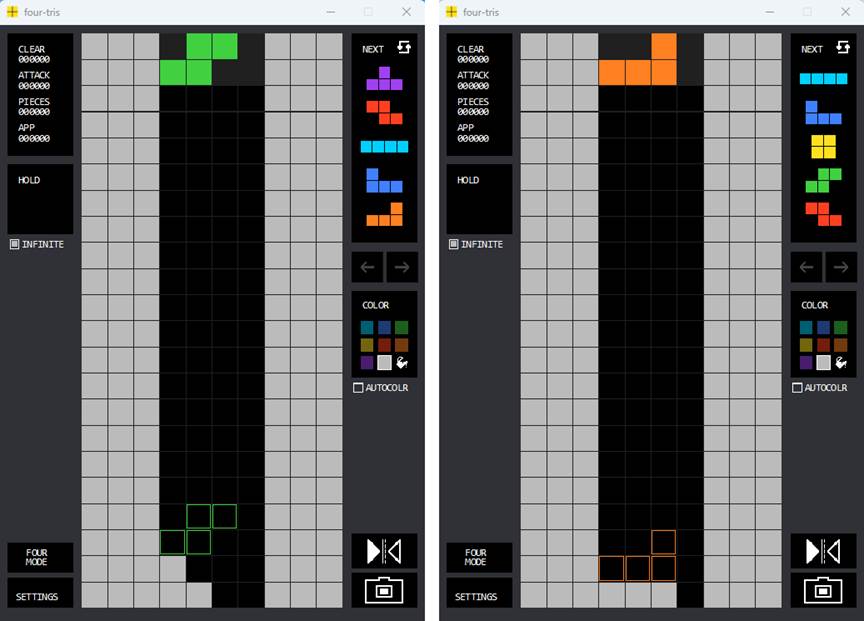
| 2 separate screens showing Four-tris’ 4-wide mode in 2 separate situations. |
| Diagram Set 2-4 |
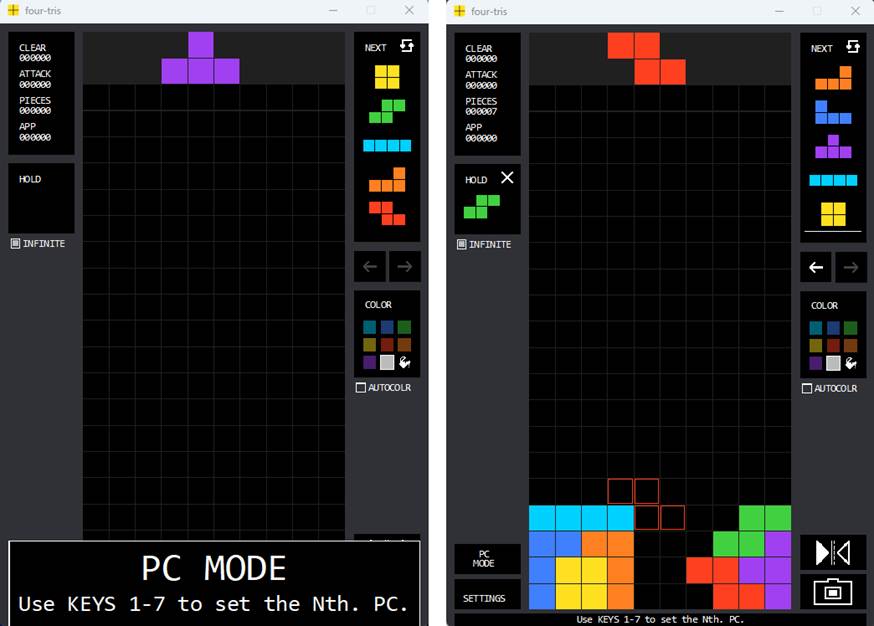
| Fourtris’ PC mode. You choose the PC bag and then solve the perfect clear. |
Jstris Mapmaker
Jstris has a mapmaker mode that allows you to paint any mid-game scenario and save the map for later use:
| Diagram Set 2-5 |
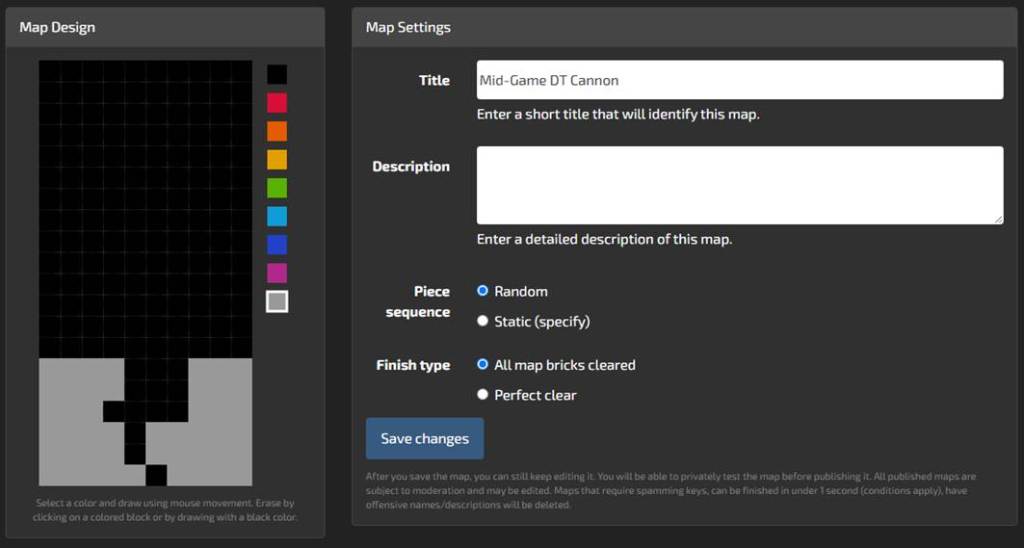
| A player uses the Jstris mapmaker to create a mid-game DT Cannon situation. |
It also lets you publish and share the map with others. The website also has a wide range of pre-created maps by other fans that let you train many mid-game scenarios.
Zero-Gravity Platforms
Some Tetris clients let you set gravity to zero, giving you infinite time to think.
One of my favorite browser-based Tetris clients is Farter’s Mod (http://farter.cn/tetr.js/):
| Diagram Set 2-6 |
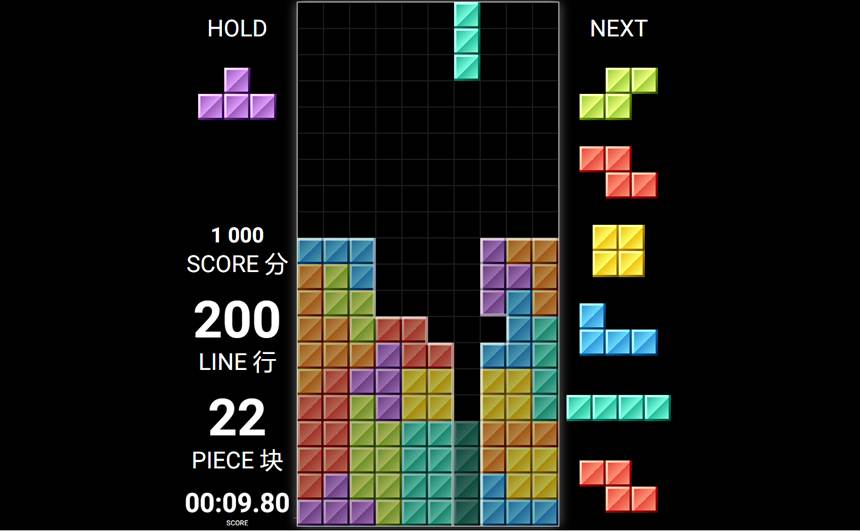
| A player sets gravity to zero to practice making T-spins and their stacking speed. |
This website has many modes to train various Tetris sub-skills: (i) Zen for training setups, (ii) Dig for downstacking, (iii) Dig Zen for withstanding pressure, and (iv) many other modes.
Apart from Farter’s mod, any Tetris client that lets you pause gravity will serve the same function.
TETR.IO and Jstris both have single-player modes that let you do exactly this:
| Diagram Set 2-7 |
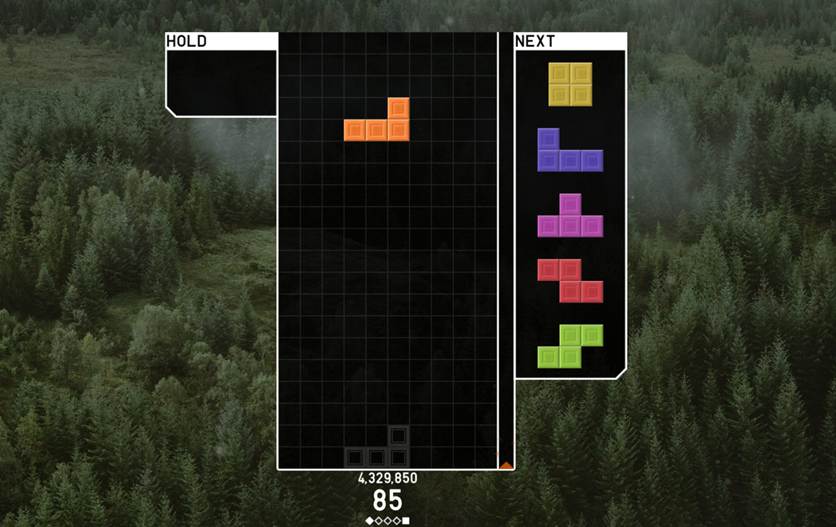
| TETR.IO’s Zen mode has no garbage pressure from opponents. This solo mode hence gives one infinite time to plan and train any setup. |
Puzzle Sites
Some Tetris websites offer puzzle formats to train specific skills.
The Himitsu website creates many mid-game T-spin and downstacking scenarios to train those areas:
| Diagram Set 2-8 |
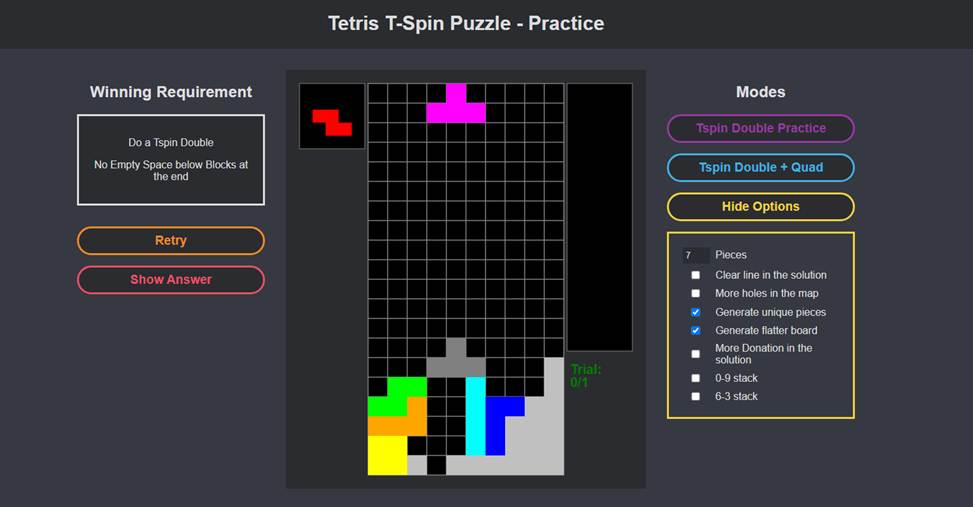
| This specific puzzle requires the player to spot and create a T-spin double from the initial gray shape. |
The T-spin Roulette website also serves the same function by specifically training how to create popular T-spin setups, such as DT Cannons or Fractals:
| Diagram Set 2-9 |
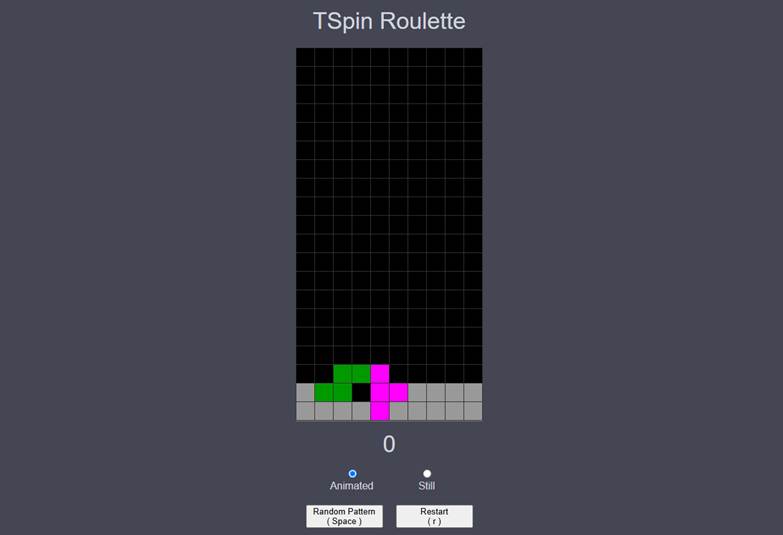
| This site shows people the solutions to many mid-game setups. Here, the player is shown how to create a simple T-spin double. |
There is a Rush Mode T-spin puzzle website that gives you questions in ascending order of difficulty to train T-spin vision:
| Diagram Set 2-10 |
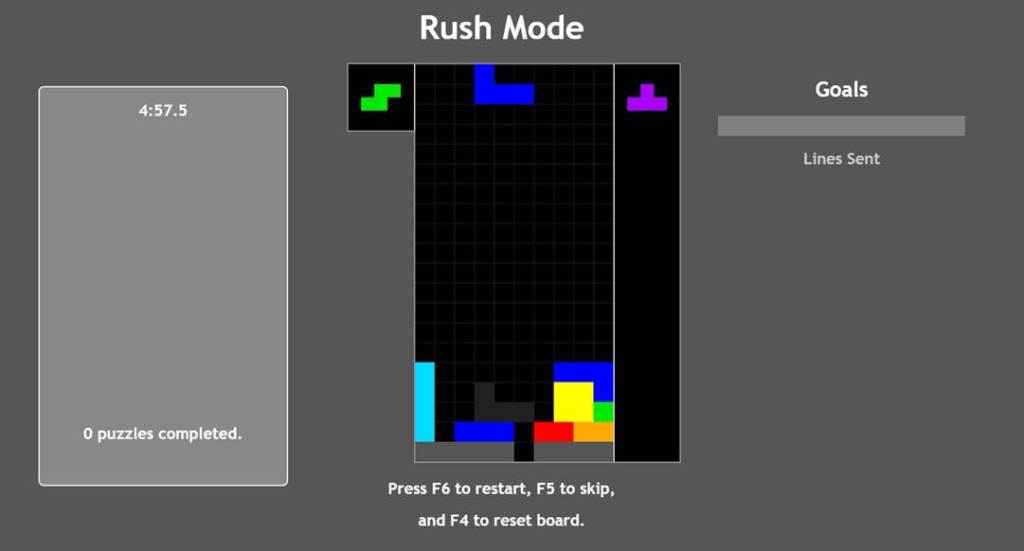
| The very first question is already quite challenging for most beginners. Can you spot the T-spin double? |
This puzzle site often seems to migrate addresses. However, the last working one is https://sixwi.de/rush.
AI Bots
When you are ready to integrate all your sub-skills and test them in battles, many powerful AI bots can help.
You can easily download and install these bots through an online search.
Misamino is the most classic Tetris AI bot, and it has a standalone mode. You can set its speed to any level to make it easier to train:
| Diagram Set 2-11 |
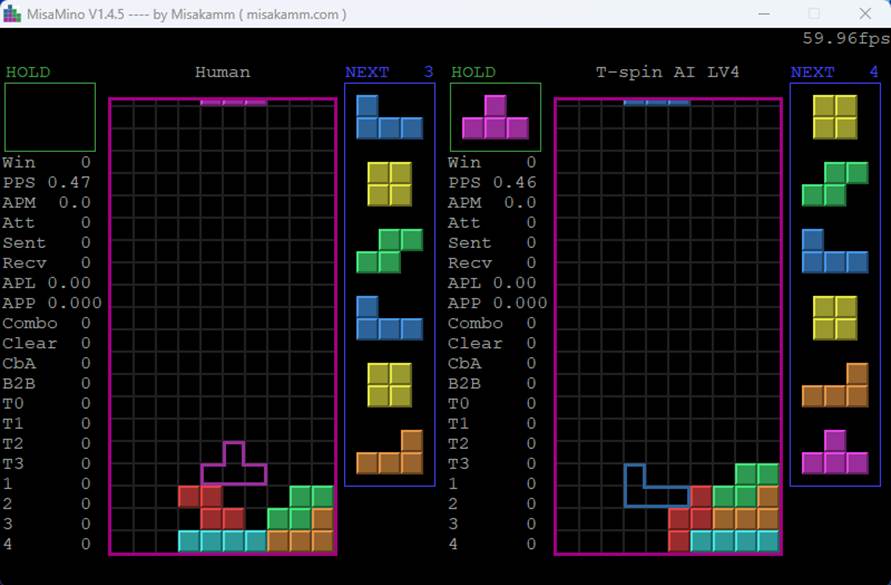
| The human (left field) fights the Misamino AI bot (right field). |
Misamino is recommended for intermediate players who have grown tired of the overly easy built-in AI bots in games like Puyo Puyo Tetris and Tetris Effect: Connected.
Cold Clear is a stand-alone bot (that can also be installed into Puyo Puyo Tetris) that lets you fight against an extremely overpowered bot. It is more recommended for late-intermediate and advanced players:
| Diagram Set 2-12 |
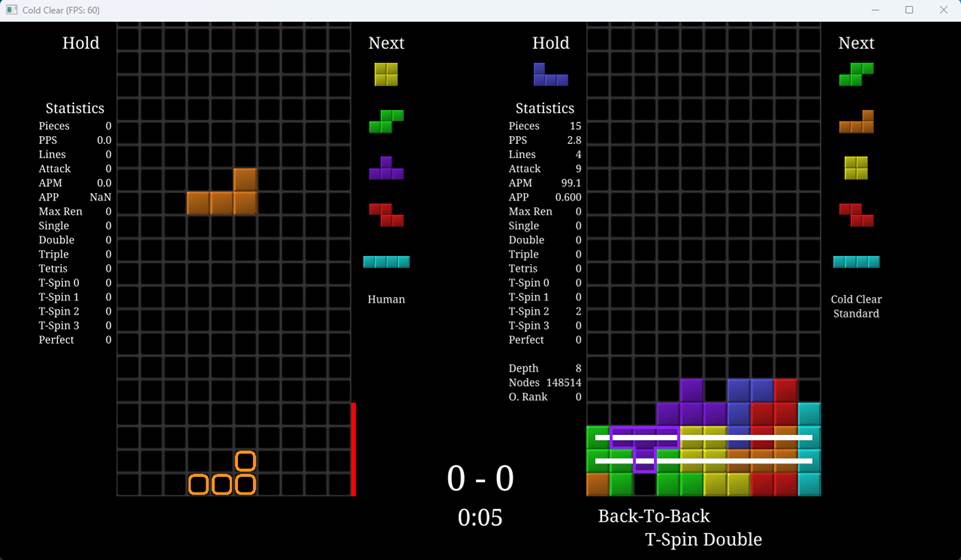
| Only 5 seconds have elapsed, and the right field’s Cold Clear AI has already made its first T-spin! |
You can set the AI’s speed to any level, such as a slow 25% to match your skill level, and gradually increase it to 100% when you are ready.
I should warn readers that Cold Clear is so overpowered that, even at 25% speed, it can consistently defeat Kazu, formerly the world’s top official guideline Tetris player.
Fortunately, it has a turn-based system that gives you more time to think. The AI will only place a piece after you have placed one.
Zetris is another AI bot that can be installed into Puyo Puyo Tetris:
| Diagram Set 2-13 |
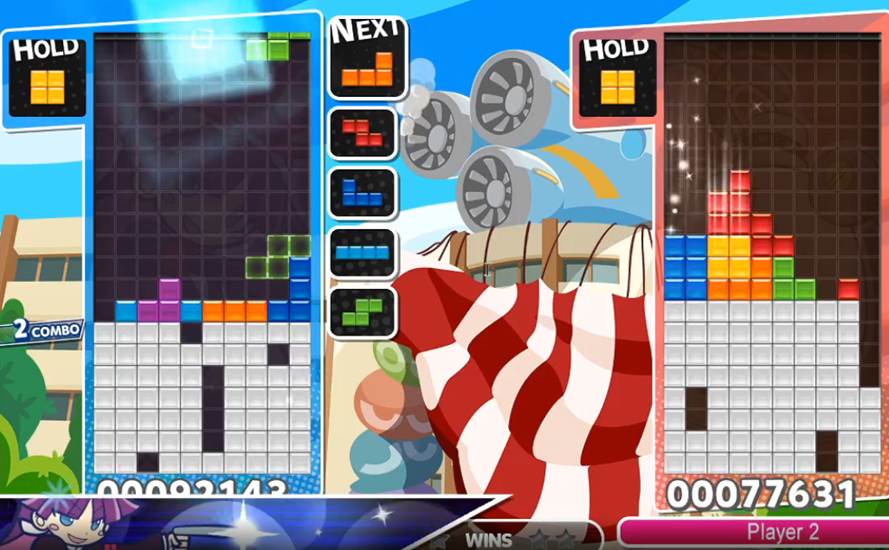
| The left player (me!) is fighting the right player, Zetris. |
The bot is somewhere between the difficulty level of Misamino and Cold Clear, prioritizing mid-game downstack combos.
Beyond these bots, other free, downloadable ones exist, such as Wataame and Hikari.
Ultra-Specialized Tools
Other tools exist for training very specialized Tetris sub-skills:
Tetresse lets you train your finesse, which is the skill that involves pressing minimal movement and rotation buttons to place your pieces correctly:
| Diagram Set 2-14 |
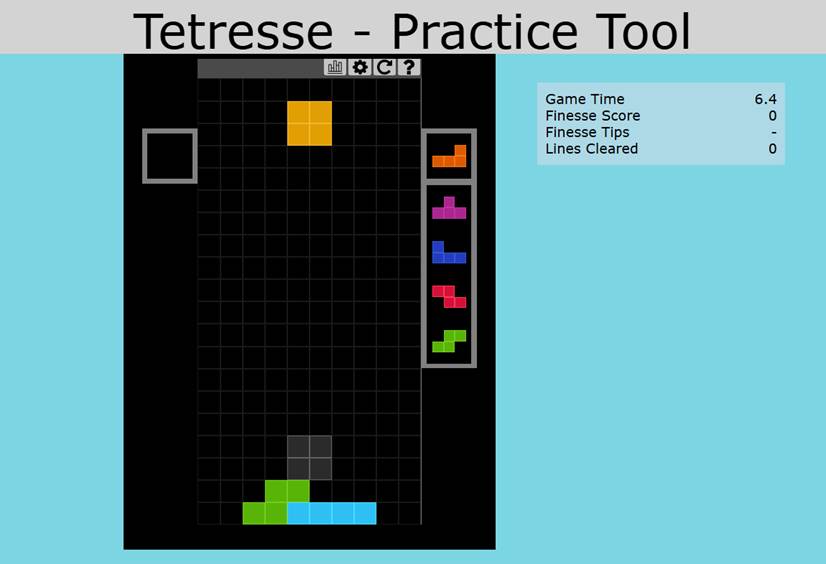
| You can stack however you want, as long as you make zero finesse faults in Tetresse. |
Jstris has a dedicated cheese mode that trains downstacking through dirty garbage:
| Diagram Set 2-15 |
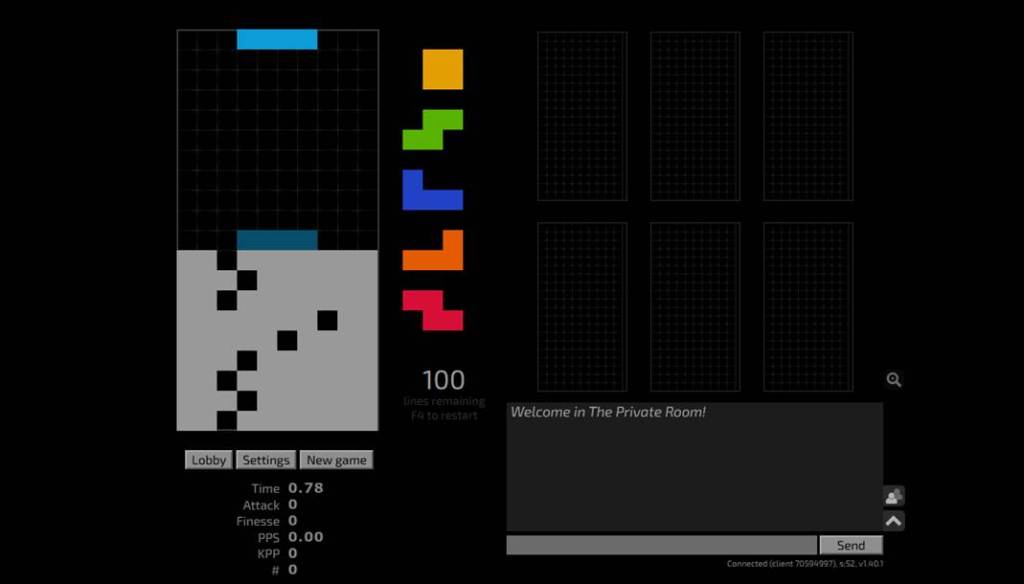
| A 100-line cheese race begins on Jstris. |
Tetris Version Sub-Modes
Slow-Mode Platforms
Many official and unofficial Tetris games emulate Four-tris’ solo training modes.
For instance, Tetris 99 has a solo marathon mode that lets you experiment with setups:
| Diagram Set 2-16 |
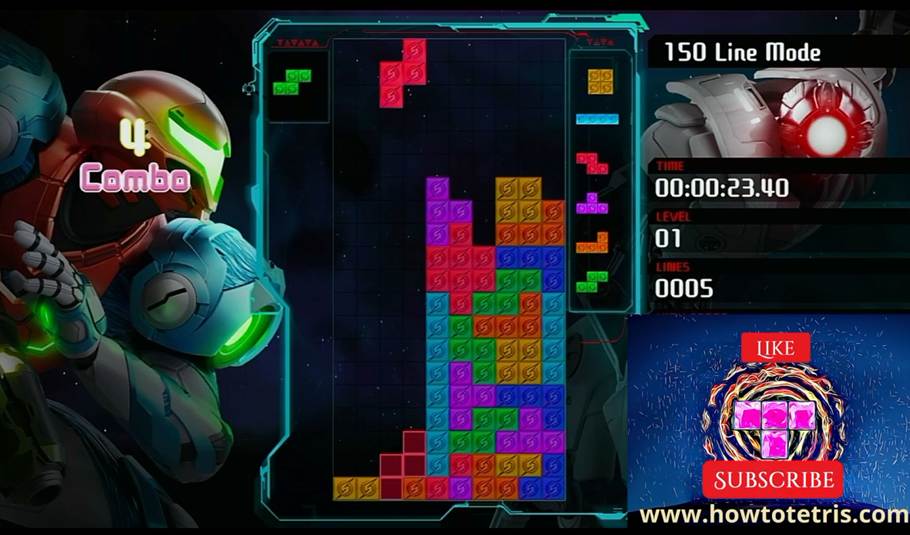
| A Tetris 99 marathon mode gameplay, shown from my YouTube video. |
However, its gravity increases over time, making it a poor choice for strict training.
Other games, such as Puyo Puyo Tetris and Tetris Effect: Connected, offer this mode alongside an Ultra training mode that gives you 3 minutes to score high. However, you can also use it for training.
Tetris Effect: Connected’s Journey Mode is great for training, especially for those who love beautiful graphics and sound effects.
Unofficial Tetris games, such as TETR.IO, have a Zen mode.
You can use any of them to train if you prefer their in-game music and graphics over the rather boring graphics of specialized training tools like Four-tris.
Tetris Resources and Guides
Several high-quality Tetris resources and guides exist:
Galactoid’s How-to-Tetris Guides
The How-to-Tetris guides are wonderful because they provide the world’s first comprehensive Tetris curriculum, covering every area.
It offers the world’s most exhaustive Tetris books, online guides, and tutorial videos.
All of them are free except Books 2, 3, and 4, but some chapters are generously available online for free.
Four.lol
Four.lol is an encyclopedic entry with high-quality guides to various mid-game T-spin setups.
It is supplementary and complements my How-to-Tetris guides, offering bite-sized, easy-to-digest techniques.
Tetris YouTube Guide Videos
My How-to-Tetris YouTube tutorial playlist currently has 90 videos, making it the most comprehensive and longest Tetris video series worldwide.
KezDaBez also has a pretty neat YouTube Tetris tutorial series of 51 videos that cover many mid-game TETR.IO tactics and strategies.
While my Galactoid videos cover specific Tetris methods, his videos fill a gap in the strategic side.
I also recommend ZhunGamer’s T-spin guides for those who want fancy and crazy T-spin setups.
GoTron88 also has many beginner-level Tetris guides.
Other YouTube channels also exist, such as Wumbotize and many others. Some of them are in Korean or Japanese.
Hard Drop Wiki: A Difficult Recommendation
I appreciate the contributors’ work to the Hard Drop Wiki website, but I simply find it difficult to recommend that Tetris resource.
In my experience, most of the T-spin Wiki entries are impractical openers.
The rest, which comprises mid-game setups, suffers from notable quality control issues, such as being too sparse or too specific, and featuring impractical mid-game situations.
While the site can serve as an archive of many mid-game methods and openers, anyone can contribute, which leads to significant quality issues that vary across many sub-pages. This is also because standards vary widely across authors.
As a Tetris scholar who values all knowledge, I really want to recommend this resource, but in my view, the systemic quality issues are too many.
Still, it can be useful, as knowledge is knowledge, and it complements the other Tetris resources I mentioned earlier.
It also serves as an important historical archive of many Tetris methods and can be a handy quick reference.
A Master List of Tetris Training Software and Websites
Here are practice tools and software you can use to train this book’s methods.
The links are updated as of November 2026. However, because they are websites, some might be outdated in the future. A quick internet search can likely find substitute websites or similar guides.
| Domain | Practice Tools |
| Increasing Tetris Speed and Finesse | Turn on Jstris’ finesse notifier and play. Tetresse: https://tetresse.harddrop.com/ |
| Classic Tetris Guide | Gregory’s Classic Tetris emulator: https://gregorycannon.github.io/TetrisTrainer/ |
| Sprint | Just play a lot of 40-line Sprint with 9-0 and 6-3 stacking in any Tetris game. |
| Stacking | Just play a lot of Tetris games. Improve your stacking with Tetris clients that can be paused, like Farter mod or TETR.IO. |
| 4-wide Combo and Downstacking | Tetris Effect: Connected’s Purify mode. Play a lot of Cultris 1 and 2. TE.TRIO’s 4-wide lobbies: https://tetr.io/ Dr Kirby’s 4-wide trainer: https://ddrkirby.com/games/4-wide-trainer/4-wide-trainer.html Blockfish: https://github.com/blockfish/blockfish/releases/tag/v0.8.4 Four-tris: https://github.com/fiorescarlatto/four-tris (Or you can join their Discord to download the file) Jstris Cheese mode: https://jstris.jezevec10.com/ Downstack combo practice: https://himitsuconfidential.github.io/downstack-practice/ TETR.IO’s 4-wide mode lobbies. |
| Playing Safely and Defensively | Just play a lot of actual games! |
| Skimming | Just play a lot of actual games! Games with clean garbage like Tetris 99 force you to skim a lot more. Play them. |
| ST, LST, LT, and Hamburger Stacking | Puyo Puyo Tetris 1 and 2’s Ultra and Endurance Modes. Tetris Effect’s Journey Mode. |
| Most T-spin Methods | 20 T-spin double sprints on Jstris. Tetris 99 and Tetris Effect’s Journey Mode. T-spin Roulette: https://www.tspinroulette.com/ Advanced T-spin Practice: https://himitsuconfidential.github.io/downstack-practice/advance-tspin-practice.html Six.wide: https://sixwi.de/rush Tetris 99 (Free Nintendo Switch game): Ideal for training T-spins during phases 1 and 2 when gravity and pressure are low. |
| Clean Tetrises | Play Tetris 99 matches with only Tetrises. Play against Zetris, Cold Clear, and Wataame AI bots on Puyo Puyo Tetris with only Tetrises. Do a lot of 40-line Sprints with 9-0 and 6-3 stacking. |
| Recovery | Any game: Whenever you misdrop, take it as an opportunity to learn how to recover! Don’t rage-quit! |
| Beginner Perfect Clear Methods | Use Jstris’ mapmaker to create each pattern and solve it to memorize the patterns. Four-tris: https://github.com/fiorescarlatto/four-tris (Or you can join their Discord to download the file) Farter’s mod (go to Zen mode and set to 0 gravity): http://farter.cn/tetr.js/ Perfect Clear Puzzle Challenge: https://swng.github.io/ttpc/ |
| Openers | Any single-player mode. Use a setup finder like https://github.com/moozilla/setup-finder |
| How to Win Tetris Matches | Play against Zetris: https://github.com/ZetrisAI/Zetris/releases Play against Cold Clear: https://github.com/MinusKelvin/cold-clear Play against Misamino: https://github.com/ZetrisAI/MisaMinoNET Versus the default AI bot on Puyo Puyo Tetris’ Endurance mode and Tetris Effect’s Zone versus. Tetris Trainer: https://swng.github.io/ttt/ Voltris: https://4voltsbattery.itch.io/voltris |

